 E-mail prospecting, done for you
DC Prospect
Desktop app that does your e-mail prospecting for you, for any freelancer or small business in France.
- Free · €0
- Every feature, 50 new prospects contacted a month
- Pro · €19 / month
- Unlimited new prospects, statistics, export (Excel, CSV, HubSpot), up to 3 sending mailboxes
Windows, macOS, Linux. Or €190 a year, 2 months free. See the plans · Try Pro for 14 days
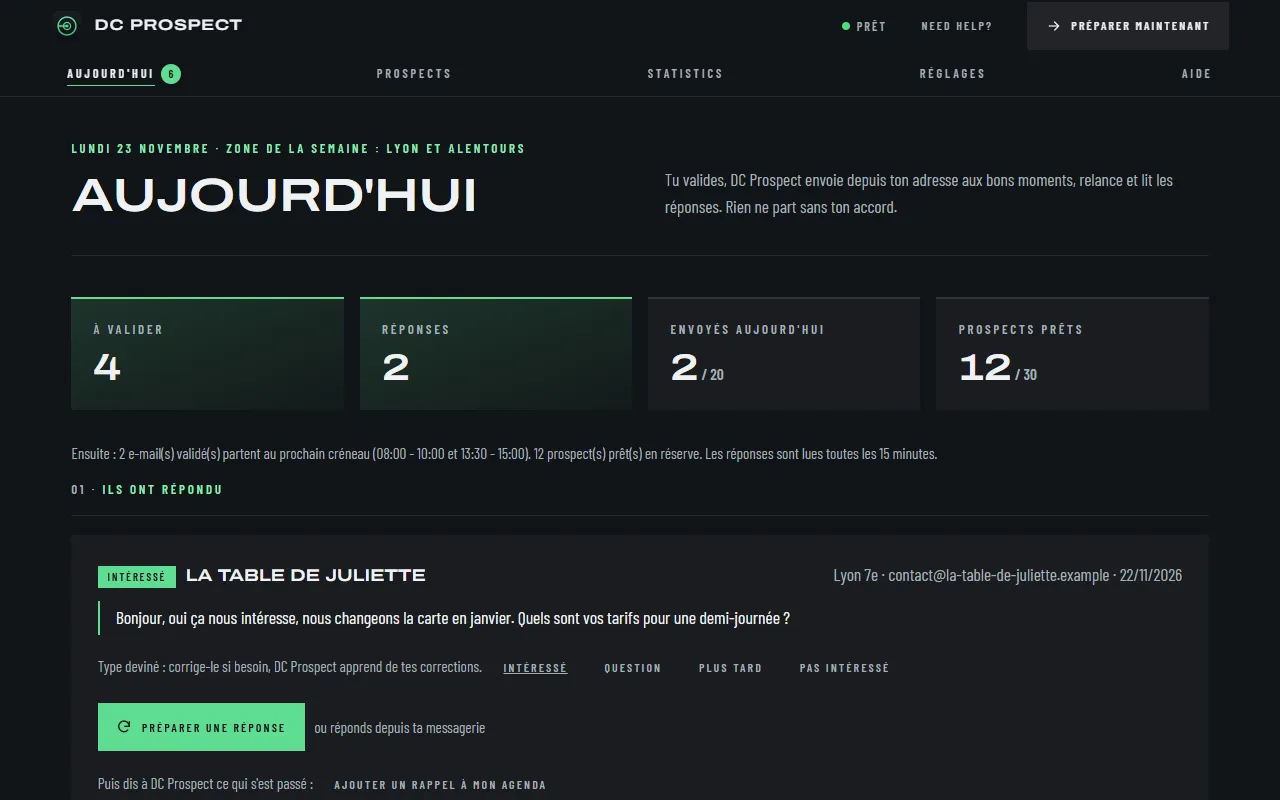
01 · How it works
Three steps, then it runs
On the search days you choose, DC Prospect takes from the official French business register the small companies of your target trades that accept prospecting, in your area. It reads their website, keeps the ones that publish a business e-mail and show a need, then writes the first e-mail in your name with the facts checked on their site. You approve: DC Prospect sends from your own address at the right times, follows up, sorts the replies and keeps the tracking table.
Nothing is sent without your approvalEvery e-mail, first e-mail and follow-ups, goes through the « Aujourd’hui » (Today) screen. The app itself is in French: it writes to French companies.
Set up in 4 steps
Your profile, your zone (a town and a radius), your AI plan and your sending address. The first search starts right away.
It searches and writes
On your search days, DC Prospect takes the companies of your target trades from the official register, reads their site and writes the first e-mail in your name.
You approve
On each sending day, read the e-mails of the day and click Approve all: it sends at the right times, follows up and sorts the replies.
02 · What it does
Everything it does for you
What DC Prospect does, part by part. The free plan and Pro only differ where the table of plans says so.
- 01
Lead search
Official register (only the companies that accept prospecting), by town + radius and by trade; website found from the company name and read without AI (e-mails, phones, findings, SEO, optional PageSpeed); business e-mail checked (MX).
- 02
Writing
First e-mail and follow-ups in your name, with the facts seen on the prospect’s site; writing checks (length, spam words in the subject, links, capitals, final question, subject of 8 words at most).
- 03
AI, your choice
A built-in AI downloaded once that works offline (Qwen3 4B or Ministral 3 8B), Google Gemini with a free key, your Claude subscription or an API key (Anthropic, OpenAI, Mistral, Groq, OpenRouter, Ollama), or no AI with editable templates.
- 04
Learns from your results
Ranks first the leads most likely to answer, keeps the subjects and lengths that work, recognizes the kind of each reply, slows sending down if too many e-mails bounce.
- 05
Sending
From your Gmail or straight from your mailbox (server found from your address), at the right times on the sending days, warm-up for a new address, SPF / DKIM / DMARC check of your domain.
- 06
Replies
Read and sorted (interested, question, later, no; STOP removed at once), answers prepared in the same conversation, “later” prospects brought back on the date they gave.
- 07
Tracking
Tracking table (Excel, optionally Google Sheets), daily report, Friday review, comparison of the zones.
- 08
Desktop
Starts with the session, system notifications, secrets encrypted on the computer, data on Google Drive for several PCs, update notice from the GitHub releases.
- 09
In the app
« What’s new » once after each update with the notes of the new version, « Need help? » to send a question from the app, and « Try Pro for 14 days » in Settings, License.
03 · Screens
See it at work
Real screens of DC Prospect, as you will see them.
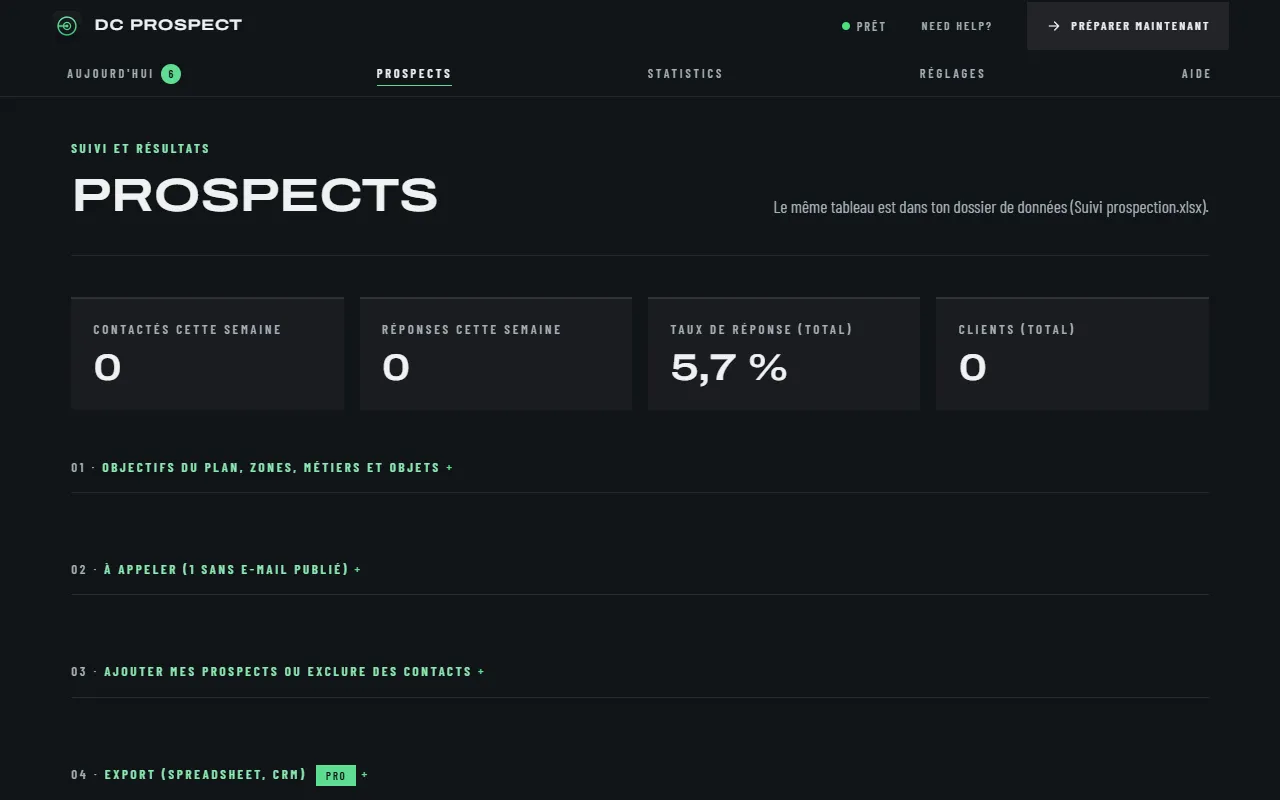
Prospects and results 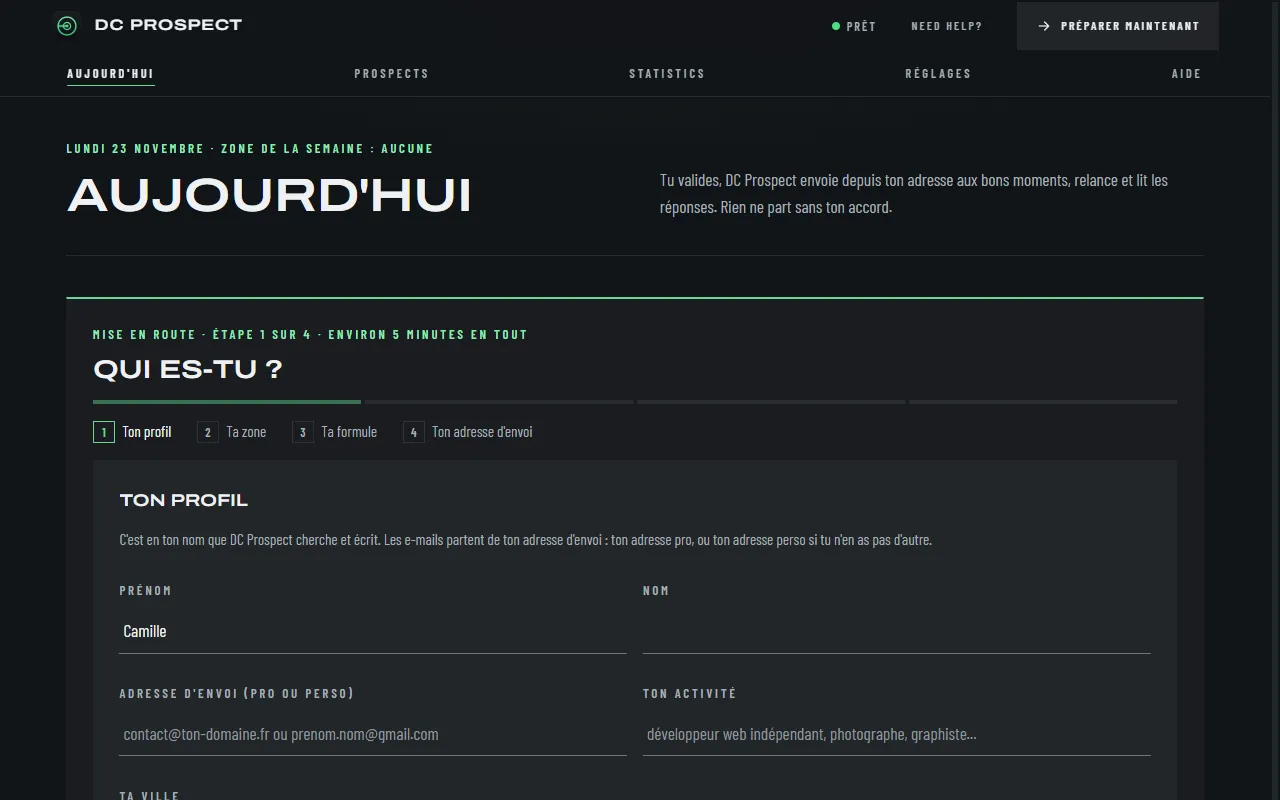
First start in 4 steps 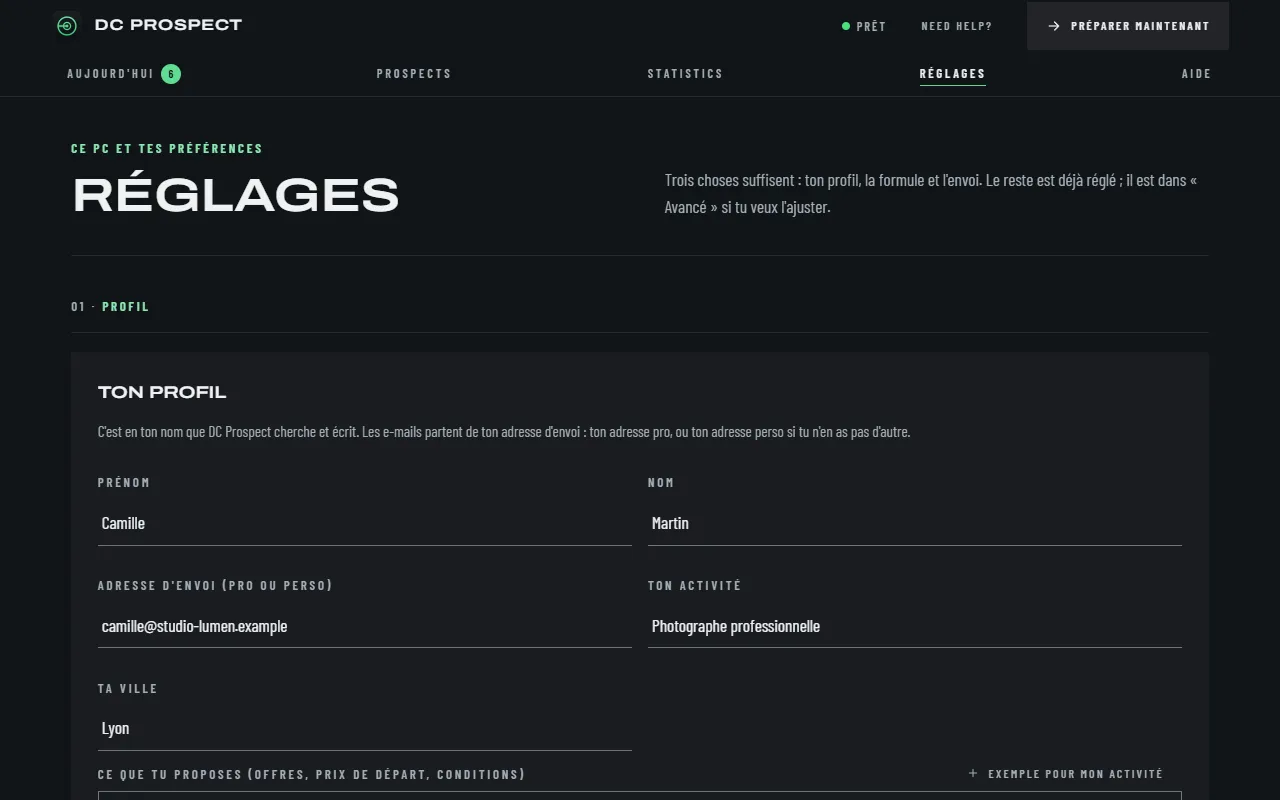
Settings 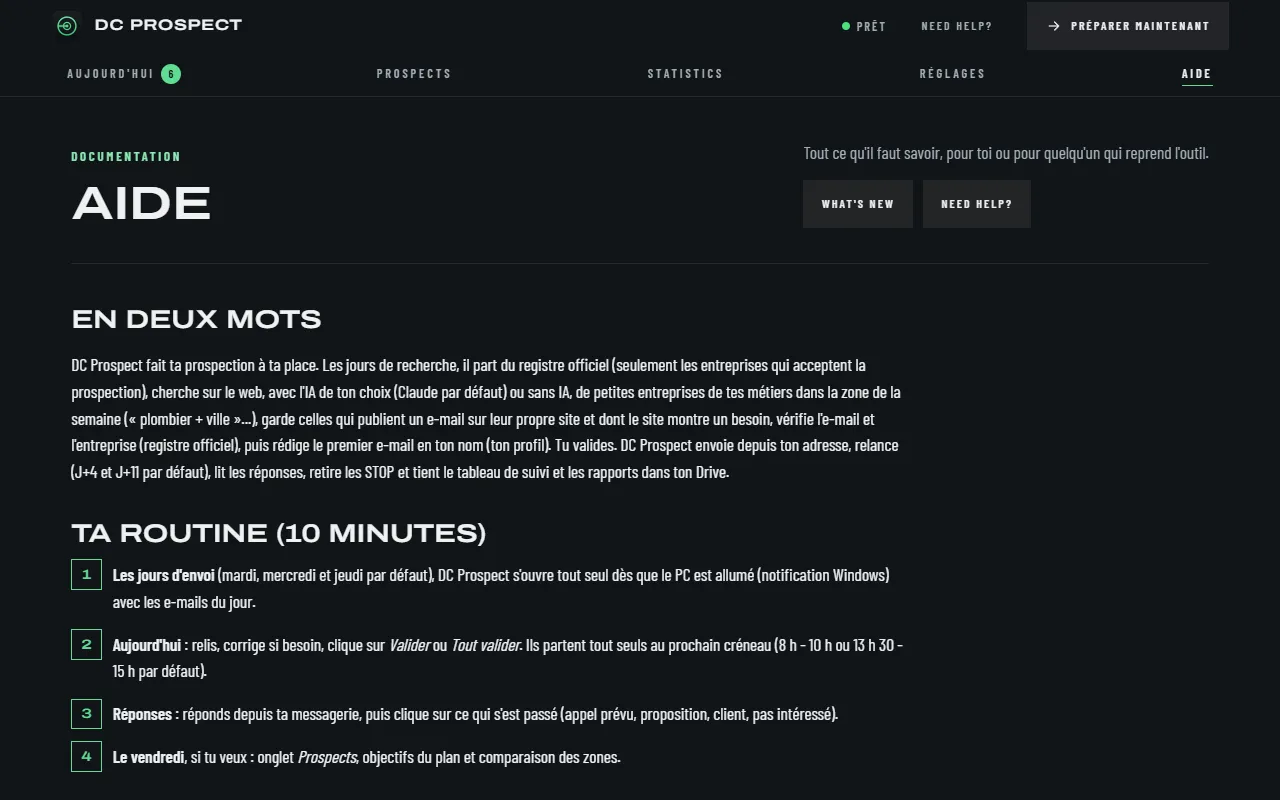
Built-in help 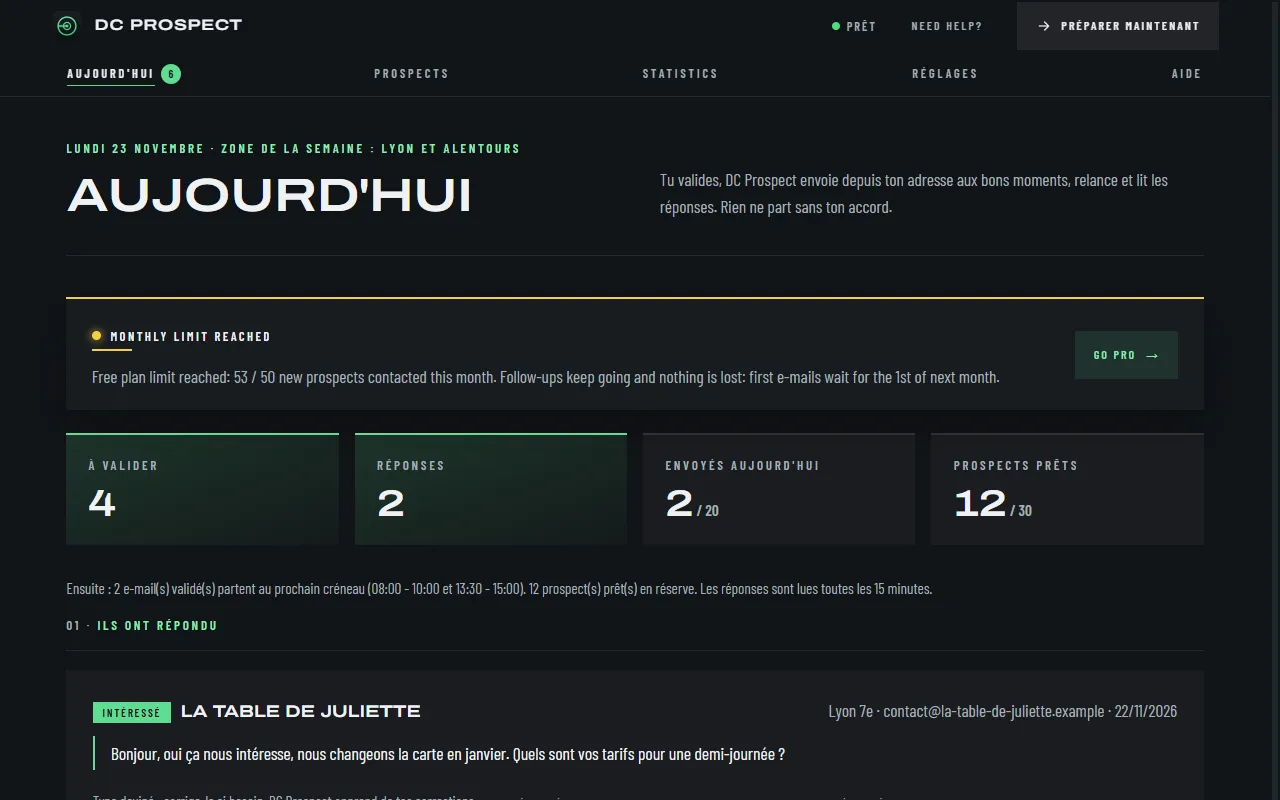
The limit of the free plan
04 · Free vs Pro
Plans and prices
Free to start, with no time limit. Pro lifts the limits, by month or by year, and you can cancel at any time.
Prices in euros, VAT not applicable, art. 293 B du CGI.
Sold to professionals only
Free
€0 forever
No card, no time limit.
Every feature, 50 new prospects contacted a month
Pro
€19/ month
€190/ year
Launch: €13.30 / month for life, for the first 50 customers.
Launch: €133 / year for life, for the first 50 customers.
Unlimited new prospects, statistics, export (Excel, CSV, HubSpot), up to 3 sending mailboxes
DC Complete
€29/ month
€290/ year
Launch: €20.30 / month for life, for the first 50 customers.
Launch: €203 / year for life, for the first 50 customers.
DC Scaffold, DC Prospect and DC Sentinel in Pro with one licence key: paste the same key in each tool.
Try Pro
Try Pro for 14 days
A Pro key by e-mail, valid 14 days.
Key by e-mail
Sent right after the payment. Paste it in Settings, License: Pro is on at once.
Cancel any time
From the Stripe customer portal. Pro stays until the end of the period already paid.
Your data stays yours
Your projects, prospects and sites stay on your computer and in your own accounts.
Works offline
14 days without internet, then back to the free plan until the key can be checked.
| Feature | Free | Pro |
|---|---|---|
| New prospects contacted | 50 per calendar month | Unlimited |
| Follow-ups of prospects already contacted | Always, never blocked | Always |
| Search, writing, AI of your choice, sending, replies, tracking, reports | Included | Included |
| Statistics: sent, replies, bounces, STOP and reply rate per trade, area, city, subject style and e-mail of the sequence (30 days, 90 days, all) | Not included | Included |
| Export to a spreadsheet or a CRM: CSV for Excel, XLSX, CSV for HubSpot (STOP and refusals left out or anonymised) | Not included | Included |
| Sending mailboxes | 1 | 3 (2 more: Gmail or SMTP/IMAP, each with its daily cap) |
| Price | €0 | €19 a month or €190 a year |
05 · Questions
Good to know
The licence key, the subscription, the offline use and the first install.
What counts as a new prospect contacted?
A company that receives its first e-mail from you. Follow-ups and answers to prospects already contacted are not new prospects. The counter starts again on the first day of every calendar month.
Do I need a paid AI?
No. DC Prospect can use a built-in AI downloaded once (about 3 GB of disk) that works offline, or Google Gemini with a free key. A Claude subscription or an API key also work, and so does writing without AI from editable templates.
Is the free plan really free?
Yes, with no time limit and no card: download, install, use. Pro only lifts the limits of the free plan.
Can I try Pro before paying?
Yes: Try Pro for 14 days, with your e-mail only, no card. A Pro key valid 14 days is e-mailed to you; at the end DC Prospect goes back to the free plan, nothing is lost. One trial per e-mail and per offer.
What is DC Complete?
The three tools in Pro with one key: DC Scaffold, DC Prospect and DC Sentinel, for less than the three on their own. Its prices are on the home page and next to the plans of each tool; running offers apply to it too.
How does the licence key work?
After the payment, your key (DC-XXXXX-XXXXX-XXXXX-XXXXX) is e-mailed to the address used for the purchase. Paste it in DC Prospect, Settings, License: Pro is unlocked at once. Each key is for one tool. The app checks the key when it starts and every 24 hours.
How does the subscription renew?
Monthly or yearly (2 months free on the yearly plan, prices above), renewed automatically by Stripe at the end of each period until you cancel.
Can I cancel at any time?
Yes, from the Stripe customer portal, with your e-mail: Manage my subscription. Pro stays active until the end of the period already paid, then the app goes back to the free plan. Nothing is lost: your data stays, only the free limits apply again. The portal also holds your card and your invoices.
What if I am offline?
The app keeps its last valid check: Pro keeps working for 14 days without internet, then goes back to the free plan until it can check the key again.
What about the launch offer?
Running offers are shown next to the prices with their conditions (discount, duration, places left). The discount is applied automatically at checkout and kept for its stated duration.
Who can buy?
Pro and DC Complete are sold to professionals only for now (freelancers, companies, associations buying for their business): the payment asks for your company or SIRET. The free plan and the 14-day trial stay open to anyone.
Who can buy?
Professionals and individuals. If you buy as a consumer, you ask for immediate access to the key at checkout and waive the 14-day withdrawal right once it is delivered; the consumer mediator is named in the terms of sale.
Is VAT added?
No, the prices shown are the prices you pay: TVA non applicable, art. 293 B du CGI (French VAT exemption of micro-businesses). Payment by card through Stripe.
Windows says “Windows protected your PC”
The installers are not code-signed yet, so Windows SmartScreen may warn on the first install. Click More info, then Run anyway. On macOS, the first time: System Settings, Privacy & Security, Open Anyway (or right-click the app, Open).
06 · The family
The other DC tools
The same way of working, for the other parts of your job.

